Category Archives: Blog

Moving to Virtual Really Fast

When that big onsite meeting suddenly must be remote: An essential checklist
By Nancy Settle-Murphy, Guided Insights and Jesse Bibbee, Gazelle Interactive

After months of planning, everything is finally in place for next week’s two-day meeting in London, which will chart the course for the launch of the company’s new product. The 25 participants from eight countries will be convening to make final decisions on pricing, sales and marketing programs, and launch details. 

As the meeting convener and facilitator, you’re feeling optimistic that the meeting will be a huge success. That’s when you get that dreaded email that upends every single one of your plans: “Out of abundant caution… all travel plans are on hold until further notice. This means that all business meetings must be cancelled or postponed, with no exceptions.” Your manager advises you to put your energy into figuring out how to achieve these same goals remotely. “After all,” she says, “Our competition won’t be taking a break. Neither can we.”

As the meeting convener and facilitator, you’re feeling optimistic that the meeting will be a huge success. The hotel rooms and meeting center are booked, everyone has plane tickets and visas in hand, the room logistics and menus are nailed down, and the agenda is finalized. You breathe a sigh of relief, eager for the weekend ahead.

That’s when you get that dreaded email that upends every single one of your plans: “Out of abundant caution… all travel plans are on hold until further notice. This means that all business meetings must be cancelled or postponed, with no exceptions.” Your manager advises you to put your energy into figuring out how to achieve these same goals remotely. “After all,” she says, “Our competition won’t be taking a break. Neither can we.”

If you or someone you know is facing a similar situation, Jesse Bibbee of Gazelle Interactive joined me to create this checklist of steps that we have found to be essential, as a start:

  • First, don’t panic. You will figure out how to do this, especially if you seek out people who have experience designing and running remote meetings and events. Reach out to meeting participants for their ideas and assistance. Brainstorm ideas and divvy up tasks. Make a list of everyone who can play a role and help out, both internally and externally.
  • Design the basic meeting structure, quickly, and then flesh it out. For example, how many virtual meetings of what duration spread over what period of time will you need to accomplish the same goals you had hoped to achieve in approximately 12 hours of your in-person meeting? You might, for example, settle on four two-hour meetings, spread over three days. Not all 25 participants must attend each meeting. Consider how much and what kind of work can be done between meetings, either independently, in small discussion groups, or a combination. Set up a central place where people can post, access and comment on “homework” prior to the next meeting, so you can allocate all meeting time to interactive conversations.
  • Create detailed agendas for each real-time virtual meeting, linking objectives and intended outcomes to conversations needed to achieve them. Instead of merely listing a topic, use action verbs so people can come well prepared. For example, instead of: “Pricing,” try: “Agree on minimum and maximum acceptable pricing at time of launch for each of our five major regions.” Be realistic about how much you can get done in each meeting. We recommend virtual meetings run two hours max. Keep in mind: Not all objectives need to be met through real-time meetings. Open up asynchronous (any time) meeting spaces where people can ask and answer questions, add ideas, brainstorm options, prioritize, etc. Build in time for thoughtful reflection and paraphrasing, especially when working with cross-cultural teams.
     
  • Select the right participants for each meeting. Avoid the temptation to “just include everyone” in every conversation. Managing verbal interactions with 25 people in a virtual setting can be almost impossible, especially when the topics are likely to be complex or contentious. Instead, select only those people who need to participate in a particular real-time conversation, and include others in different ways, such as in a shared asynchronous meeting area or in a different conversation. Limit meetings where in-depth conversations are needed to no more than 6-8 participants, as a rule. If you must include all or most participants in each meeting, enable people to participate in multiple ways, such as via chat, polling, hands-up, or typing into a share space.
  • Establish, communicate and reinforce agreed-upon team norms early on. Such norms, (a.k.a. operating principles), should include meeting behavior and practices, the use of other communication channels, progress reporting, etc. For virtual meetings, norms might include expectations around prework and preparation, punctuality, attendance, level of participation required, and how certain technologies will be used, such as video, use of mute, need to test technology beforehand, etc.
  • Divide and conquer. In addition to asking a team to help with the design of the overall meeting architecture, seek assistance in other areas, too. For planning, you’ll want help creating the detailed agendas for each meeting, which will include identifying the needed prework, establishing participant and presenter roles, pre-meeting communications, and deciding which technology will be needed. For the real-time meeting, you may want to assign roles such as facilitator, timekeeper, scribe, tech support assistant, and action master. In between meetings, you’ll want someone to make sure that pertinent notes are accessible, assigned “homework” is completed and posted on time, and that actions are completed.
  • Select technology that can support your meeting goals. First, take stock of available technology and tools. For example, does everyone have access to video? A shared online meeting app? Audioconferencing capability? Sufficient bandwidth? For those must participate at odd hours from different timezones, are these tools also available from where they will be participating from, which might be their homes for many? Will you need to integrate other technologies you may not have now, such as for polling, sticky notes, dot-voting, etc.? Whatever set of tools you use, make sure all feel comfortable using them well ahead of your meeting. Have a back-up plan in case technology doesn’t work as planned.
     
  • Get the audio right above all. Even if you have the greatest online meeting tools, if people can’t be heard, or can’t hear, then the whole meeting can fall apart. Do a sound check for every possible variation imaginable. If a few people will be participating in different conference rooms around the world, test how well people can hear and be heard. Some speakerphones and conference rooms may distort sound, in which case you may need for everyone to participate from an acoustically private area with a headset. During the meeting, check periodically to ensure that everyone can hear all voices, regardless of location. Build in time for paraphrasing and summarizing questions and responses if needed.
     
  • Connect with video. Apart from the cases where certain systems or locations might make the use of video difficult or impossible, we believe that the use of video is critical for a few reasons. By seeing each other’s facial expressions and gestures, we have a better idea how people are feeling or what they may be thinking, even when they’re silent. Video helps hold people accountable for full participation, as it’s obvious when someone is distracted. Perhaps most important, video can help team members feel as though they’re actually sitting across from each other, in a virtual space. Ask local participants to book a conference room that has video capability if possible. Otherwise, ask people to join using a device that has video capability, either built in or an external webcam. For some, this might require a modest investment, which the meeting sponsor should probably be prepared to fund if needed.
     
  • Embed opportunities for active engagement throughout every virtual meeting. Minimize time spent in passive participation (such as reviewing content that could have been posted in advance), and maximize the number and frequency of participant interactions. Take advantage of peoples’ inherent desire to multitask by building in opportunities to multitask “on task” throughout every meeting. Examples: Soliciting quick verbal responses, polling, dot-voting, use of virtual post-its, hands-up, chat, asking people to type in responses, writing an idea on a piece of paper, etc. Plan on an interaction of some kind at least every 5-7 minutes.

Make no mistake: Being suddenly forced into converting an extended onsite meeting or training program of any kind into a virtual space is not easy. It requires a whole new way of thinking about the kind of conversations that need to take place (and where, when, and by whom) to achieve your intended outcomes. It also means thinking through how best to blend a whole array of asynch and synchronous communications and collaboration options in a way that can make for the most efficient, productive and satisfying conversations. Making such a “conversion” can be arduous and time-consuming the first few times, but with practice and reflection, it may become second nature before too long.

Note: The article originally appeared in Guided Insight’s March 2020 Communique

Nancy Settle-Murphy is the President of Guided Insights. She is a renowned expert in the fields of virtual leadership, remote collaboration and navigating cross-cultural differences, and the author of Leading Effective Virtual Teams. Learn more about Nancy at www.guidedinsights.com.

Tips for Planning a Virtual Meeting

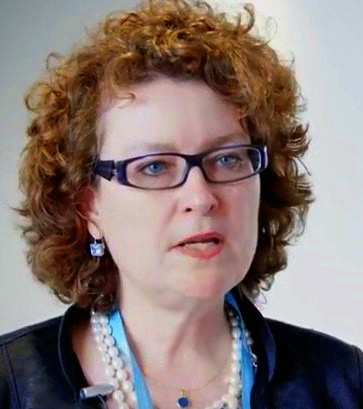
New to ConventionPlanit.com, may we introduce Mary Ann Pierce, President & Founder of MAP Digital, who spoke to our Advisory Council about getting started with a virtual meeting or event. Mary Ann has produced onsite and virtual events worldwide for the past 20 years. What information should you consider? Mary Ann says to find the best virtual meeting company for your needs, it’s important to qualify your meeting. Sound familiar? Virtual meetings have nuances of thier own, just like a face-to-face meeting. She offers the following qualifying information to consider when searching for a virtual meeting partner:

1. Date(s) of event  

2. Examples of website or agenda that you want to replicate virtually

3. Where are the speakers located (time zones matter!)

4. How many sessions, and what is the format (panels, keynotes, individual presenters, etc/)? Are any sessions concurrent? Will there be slide presentations? Video or audio only?

5. Audience locations / time zones? 

6. Interactivity (ask-a-question, chat, audience response, etc.) 

7. Is admission free? Does it require payment? Is it restricted but free? 

8. Where will your content usage data be sent? 

9. How long do you want the content available? 

10. Do you need video snippets for a content marketing campaign?

About MAP Digital Virtual Events powered by MetaMeetings:

mary ann pierce

For over 20 years, MAP Digital has fused the digital space onto investment banking conferences and CEO-level events. Headquartered in New York City, we produce onsite and virtual events worldwide. MAP Digital: MetaMeetings® platform captures speakers’ presentations from anywhere; and then streams them onto the content-rich, interactive, secure and compliant MetaMeetings® website. There is no limitation in the number of attendees and sessions that can be archived for return engagements.  Attendees’ content usage data is captured and resides in the MetaMeetings platform. Post event the archived videos can be transformed into content marketing snippets amplifying your speakers and brand thought leadership via social media which expands your networks and audience development efforts.

Learn more about MAP Digital

ConventionPlanit.com’s Advisory Council Talks COVID-19

Since our inception in 2003, our team at ConventionPlanit.com has kept our ear to the ground to understand the current issues that impact meeting professionals. It goes without saying that the impact of COVID-19 on the meetings industry is the most pressing issue of the moment.

ConventionPlanit.com recently held its 10th Annual Advisory Council Meeting (via conference call), which proved to be a platform for industry professionals to discuss their own challenges and share ideas to navigate the global pandemic.

The Council members shared that some of their meetings have been cancelled, some are going virtual, and some are being rescheduled in 2021, depending on the market sector. They expressed frustration over inconsistent policies among hotels with deposit refunds for cancelling or rescheduling meetings. The Council members recommend waiting to cancel a meeting until local or state government has issued an order to increase the likelihood of receiving a reimbursement.  Looking ahead, the planners advise to be prepared to provide justification to travel. There will be fear in meeting face-to-face for many and getting back to ‘normal’ will be a slow process. 

The meeting included a presentation from Mary Ann Pierce, Founder & CEO of MAP Digital, a leader in the virtual events space for the past 20 years. Mary Ann shared tips on delving into virtual events and answered questions from Council members.  (Scroll down to find more from Mary Ann in this newsletter!)

The Advisory Council suggests being strategic when pushing content out digitally and focus on engaging and collaborating with partners to make the content experience-based. Think about what your strategic goals are versus getting content out for the sake of it. Many people are distracted, so less is more.

We asked the Advisory Council when they think they would be receptive to seeing advertising from suppliers, and they suggested when they are able to go back to their offices. In the meantime, relationships with suppliers are more important than ever, and they appreciate personal reach outs to see how they are doing.

The Advisory Council also weighed in on what information they would like to see added to ConventionPlanit.com from suppliers, and they suggested COVID-19 updates displayed on listing profiles. With so much unknown, the more information they can access, the better. Check out the ConventionPlanit.com website under Notices & Special Offers for more.

Learn more about the ConventionPlanit.com Advisory Council.

Virtual Meeting Room Checklist

by Nancy Settle-Murphy, Guided Insights and Rick Lent, Meeting for Results

If you were creating a checklist for the ideal meeting room, what would be at the top? Maybe comfortable seating designed for interaction, natural light, space to move around, good ventilation, easy-to-use temperature controls, acoustical privacy and plenty of wall space? You might add a good A/V system, a variety of music, and continual access to food and drink.

But what about a virtual meeting “space?” What would that checklist look like?

Rick Lent, from Meeting for Results and I build on the Meeting “Room” Checklist that he created for his book, Leading Great Meetings: How to Structure Yours for Success. This checklist lays out a basic set of requirements for a virtual meeting that encourages and enables interaction and active participation, regardless of the technology you may choose to use. 

  • Virtual meeting technology. Think carefully about what kind of technology will best help meet your objectives and keep people engaged. Sometimes a simple screen-sharing tool will do the trick. At other times, participant interaction online will be crucial. In some cases, phone alone may be all that’s needed. Choose only what you need, and no more. Make sure that everyone has easy access to the tool and feels comfortable using it (including you!). Arrange for a demo or training in advance for those who need it. If possible, line up someone to help handle technical issues and provide support if needed. Allow a couple of minutes on the front end of each virtual meeting to make sure everyone can join.
  • Audio.  Without good audio, it’s impossible to have a good virtual meeting. Here are some considerations: Ask participants to avoid using speakerphones and cell phones, if at all possible. Speakerphones (as well as VOIP) can result in background noise and oftentimes, interruptions.  Some speakerphones also make it hard for others to contribute to the meeting, as some phones “cut out” interjections. In addition, some audio conference systems don’t allow people to jump in while someone else is speaking. Request that participants use headsets, and ask them to call into a shared conference line. If you have fewer than 10 people on the call, ask participants to refrain from muting themselves. Even though the use of mute can block background noise, it also gives people permission to multitask while no one is listening.
  • Creating a visual presence. When people aren’t sitting across an actual table, you can help them feel as though they are. Video can certainly help here, if you are so inclined. Also, some virtual meeting platforms can show pictures of participants. One low-tech solution that works every time, though it requires a bit of work: Have participants send a photo of themselves to you, which you can paste into a slide, along with names. You can post this in your virtual meeting room, or send it in advance.  Ask participants to have this slide handy during the meeting. As the meeting leader, you can use the printed slide to note attendance and participation.
  • Real-time visible notes. Keep a discussion focused by letting everyone see the discussion as it progresses by showing notes as they are captured. You can do this a few ways. Ask a volunteer to take the notes on a shared screen as you lead a discussion. Even better: Use a technology that allows everyone to add notes and ideas. For example, Google Drive works well for this. Even better: Use a virtual meeting technology that allows people to type notes in a chat box or an electronic flipchart, which can then be included in a comprehensive meeting summary that includes all notes from all sources.
  • Making space for frequent participation. You want people to be able to participate freely, without necessarily having to interrupt others. Many virtual meeting tools have features to encourage frequent participation, such as a hand-raising tool, a chat box or quick polls. If you plan to have verbal check-ins around the virtual table every so often, make sure you allocate the needed time, and prepare questions that can be answered succinctly.

And here are some other tips to make this virtual meeting a success that go beyond any virtual or physical characteristics:

  • Before the meeting: Setting expectations with clear communications. Make sure everyone knows what preparation is required, from whom. Post or send content that can be reviewed ahead of time to save valuable meeting time. Make sure everyone has the needed log-in information for audioconferences and online meeting spaces. Send a detailed agenda in advance and invite questions ahead of time. Reach out to those who may need some guidance or encouragement in advance.
  • After the meeting: Follow-up. What needs to happen after this meeting, by whom? How will people be accountable for actions or other next steps? What kind of communication needs to take place, among whom and how, before the next meeting? Are the meeting notes sufficient, or is any outreach needed?
nancy settle-murphy

If you want a super-productive virtual meeting every time, create your own “must-do” checklist, borrowing some of the points above, and adding some of your own. Encourage others to follow your lead. Designing and planning for a successful virtual meeting isn’t exactly rocket science, but it does require thoughtful preparation that deserves time and attention, and lots of practice.

Note: The article originally appeared in Guided Insight’s Communique

Nancy Settle-Murphy is the President of Guided Insights. She is a renowned expert in the fields of virtual leadership, remote collaboration and navigating cross-cultural differences, and the author of Leading Effective Virtual Teams. Learn more about Nancy at www.guidedinsights.com.
A Letter From Our Co-Founder

Dear industry colleagues,

As we confront the sudden and uncertain challenges brought on by the COVID-19 virus, many meeting professionals will require additional support. If you are short-staffed, ConventionPlanit.com can be your extra hands away from the office.

RFP Valet is a completely free service to help you plan your meetings that comes with the experience of a team of industry veterans. Available services include RFP writing, RFP distribution, response organization, and consultation. This no cost service does not require any training or commitments. 

Whether you are rescheduling a face-to-face meeting or sourcing a virtual or hybrid event, ConventionPlanit’s robust portfolio of hotels, destinations, and service providers are ready to assist. 

Our RFP Valet team is here to help at 866-922-8988 or info@conventionplanit.com.

Stay well,

David Markham
Co-Founder
ConventionPlanit.com

Spotlight: The Meetings Industry Fund

More than ever, The Meetings Industry Fund (MIF) needs your support and donations to provide financial assistance for the countless meetings industry employees that are incurring a financial crisis.

Your donation goes directly to help. These generous gifts provide emergency assistance to many meeting industry workers in need.   With your support, together we can change lives. 

Learn more about the Meetings Industry Fund.

How to Liven Up a Virtual Meeting: Nail Your Kickoff Experience (Part 1 of 3)

Does your virtual event spark joy? Keeping pace with the surge in virtual events, we consulted new ConventionPlanit.com supplier member Ben Corey, CEO and Lead Digital Entertainer with Stream Variety, for advice on livening up a virtual meeting. Ben had so much to share, in fact, that this is the first of a three-part series.

1. Eliminate extended speaker introductions.

Participants at streaming events can easily be distracted before traditional speaker bios are even delivered. Post bios online for those who may be interested and start with something unexpected or more personal instead. For example, speakers can begin by sharing something about themselves that is 100% true but sounds made up.

2. Focus on emotional connections from the first moment.

If your audience is pulling their hair out as they telework while homeschooling their kids, start there! Start exactly where your specific audience is, and share a related personal story to bring your audience closer, even though they are far away.

3. Engage participants upon arrival with sponsor-worthy Streamosphere.

As your audience arrives, captivate them with unexpected visual streaming entertainment. Create an atmosphere of anticipation before your speakers go live. While others may start a stream fumbling with cameras and lose half of their audience, look like a rock star by going live with something immediately awesome.

Ben Corey provides consulting and support to help you launch successful digital tradeshows, innovative online networking events, and conferences.  He provides a complete roster of sponsorable streaming entertainment.  Contact Ben Corey directly at Stream Variety to learn more.

Virtual Meeting Misconceptions Turned Inside Out

By Nancy Settle-Murphy, Guided Insights

When people evaluate the quality their typical virtual meetings on a scale of 1-10, the average response we get tends to hover somewhere between a 3 and 4. (And that’s progress, compared to a few years ago!) After all this time, why do virtual meetings still have such a bad rap? Are they really that poorly-run, or do people just assume they will be a waste of time, and plan their participation (or lack thereof) accordingly?

Joining me is Steve Bather, Practice Lead for The Realise Group. A seasoned practitioner of planning and leading large events and virtual meetings, Steve runs MeetingSphere, a company that produces efficient meeting productivity tools available from the Cloud.

Our basic premise: Successful virtual meetings require a thoughtful discipline that demonstrates a deep sense of respect for all participants, enabling them to be full and equal participants in the conversation. We also believe that any kind of meeting should be held only when discussions are needed. (If content review is required, let people do that somewhere else.)

In this article, Steve and I refute nine of the most popular misconceptions people hold about virtual meetings, and offer some practical tips that can help transform virtual meetings from mediocre to memorable.

1. People won’t do prework, so why bother asking?  

If you agree with this assumption, then you probably build in time for content review at the start of your virtual meetings, just in case. But, since virtual meeting time is at a premium, why not plan your agenda as though people have done the prework? This means you you’ll need to make the prework sufficiently compelling, accessible and relevant. Give people a small assignment to increase the chances of completion: “Post 3 questions in our online conference area that spring to mind as you read this report.” Don’t be afraid to strike a bargain, using either a carrot or a stick, or both: If everyone comes prepared, you’ll shorten the meeting time by 10 minutes. Those who haven’t read the report must catch up on their own, before they join the conversation. If you reward those who come prepared and provide consequences for those who don’t, your virtual meetings will become more productive and take less time.  If you can encourage the majority of participants to complete the pre-workeveryone will do it next time!

2. Our routine weekly meetings don’t really need much planning. We have the routine down pretty well.

If you think that only “important” meetings need careful planning, think again. Just because your meetings follow a predictable format, it doesn’t mean the format is necessarily a good one. Even routine meetings, or perhaps especially routine meetings, must be designed so they help accelerate progress on current projects. Your weekly status meeting might need periodic tweaking, or it might require an entire overhaul. Even if you think your current format works well, consider how prework can be used more effectively to save time or enrich the quality of conversations. Solicit feedback from participants frequently and make changes as needed.

3. Everyone knows how to use these virtual tools, so let’s not waste time explaining how to use them.

Are you sure? People aren’t always equally competent and confident using certain features of a given tool, even when they’ve used it before. And sometimes, people may be using different versions, which may appear differently on their device. A few tips for ensuring the successful use of a given tool, right from the start of your meeting: Use the same tool for asynchronous and real-time participation to familiarize people with the look, feel and navigation in advance. Include a test or demo link in your meeting invitation. Invite people to log in a few minutes before the call if they’d like a quick tutorial.  Use only those features that will enhance meeting outcomes. Allocate a few seconds at the start of your call to show which tools you plan to use for this meeting. And if you can, buddy up with someone who can take care of the technology as you lead your meeting.  

4. Anonymity isn’t really needed in our virtual meetings. We’re very transparent here.  

Or so you think! That’s what some of our clients say, too, until people admit they would have been more candid if their names had not been attached to their responses. While there are many situations where it’s vital to know who said what, there are probably more times when allowing anonymous contributions can foster freer and richer exchange of ideas.  When in doubt, pilot your questions with a small group, testing whether anonymity or attribution works best. (Of course, you need to make sure that your chosen tool that allows for either anonymity or attribution, in both asynchronous and synchronous settings. Ideally, you want to be able to change between anonymous and attribution dynamically through the meeting to support different requirements along the way.)

5. We only have 60 minutes for this meeting. People won’t stay any longer.

Really? Check your assumptions before you resign yourself to this limitation. If the topic requires an in-depth conversation, participants are fully vested in the outcome, and if you keep the meeting focused, engaging and on topic, people may just accept a request for a 90-minute meeting. If you find that people simply won’t attend a meeting beyond one hour, consider breaking up the conversation into several convenient stages. Keep each session focused and productive, ensuring  that  participants are satisfied with the outcome, and that people know what they need to do prior to the next session to move the work along. Another tip: Don’t be afraid to start or end a meeting on the quarter-hour. Just because many calendars default to full hours or half-hours, it doesn’t mean we need to follow along.

6. We have to wait until almost everyone is on the call before we start.  

This comes down to basic meeting culture and discipline. If your organization’s culture allows people to join meetings when it suits them, you risk frustrating those who join on time. As the meeting leader, you face having to repeat what’s already happened to engage the latecomers, often wasting up to 20% of the scheduled meeting time to rehash what’s already been covered. Organizations with a healthy meeting discipline communicate clear joining instructions, and expect people to join in good time (up to five minutes before the start time), will complete reasonable pre-work (see first bullet) and will focus entirely on the meeting. To change our meeting culture, we must lead with the behaviors we want to encourage, rather than tolerate those that waste everyone’s time. Admittedly, it can be difficult to make latecomers feel welcome while respecting those who came on time, yet it can be done diplomatically and assertively.

7. People who wait too long for a chance to speak may not do so when the opportunity finally arises.

Even if you have a standing set of protocols, it’s worth starting every virtual meeting with a reminder about how you expect people to contribute, ask questions, seek clarification, and ensure they are viewing the correct documentation.  Pause to ask if any updates or changes are needed for this particular call. Remind people as needed how to use various meeting tools for each type of contribution. Consider how best to provide the appropriate environment for people who are uncomfortable or unwilling to speak out, especially those who need reflection time. If you provide multiple ways for people to contribute at any time during the meeting, whether anonymously or not, you may be amazed at the ideas, solutions and issues that may suddenly surface!

8. It’s impossible to know who else is on the call.

In the virtual world, we may never know who might be lurking silently, especially if the meeting technology doesn’t allow us to “see” everyone who is present. As a result, people can be more guarded about how and when to participate, and thus silence often becomes the default. When this is the case, decisions can be made without complete information or needed discussions, slowing down progress. You can ensure that your participants are aware who is participating a few ways. First, choose a tool (audio and/or meeting tool) that makes all participants visible to everyone. Many meeting tools allow the meeting planner to assign each invitee a unique password, making it difficult if not impossible for others to join. You can also do a quick verbal roll call (if you have 12 or so participants or fewer), or you can invite participants to type in some sort of hello as they join. Finally, in your meeting request, make it clear as to whether others can be invited, to cut down on the number of possible eavesdroppers.

9. We don’t need meeting notes if everyone was paying attention.

Let’s assume for a minute that everyone really was paying attention (which requires a big leap of faith). Different people may have a different recollection as to agreements, decisions, or next steps. (Plus, we tend to get fuzzy on our commitments as soon as new priorities come into play.) Discuss what level of detail is appropriate for any given type of meeting, and make sure that someone is assigned to capture and post (or send) notes. Some virtual meeting tools make it simple to capture meeting output, while others may require extensive writing, cutting, pasting and formatting. Even if your meeting notes consist only of decisions made and actions taken, people will feel more accountable as a result.

The next time you find yourself bemoaning the inherent shortcomings of virtual meetings, challenge yourself by asking: In what ways can we more effectively use technology, clear operating norms, and instill a healthier meeting culture to achieve our outcomes in an efficient, effective and engaging way? We promise you, it can be done!

Note: The article originally appeared in Guided Insight’s Communique

Nancy Settle-Murphy is the President of Guided Insights. She is a renowned expert in the fields of virtual leadership, remote collaboration and navigating cross-cultural differences, and the author of Leading Effective Virtual Teams. Learn more about Nancy at www.guidedinsights.com.